Requirements in.
Test cases out.
QA GoGo reviews your BRD, writes the test plan and test cases, checks what is still uncovered, and drafts the automation framework. You review every step before it moves on.
Free to open. There is no account: you add your own Claude API key and pay Anthropic only for what you generate.
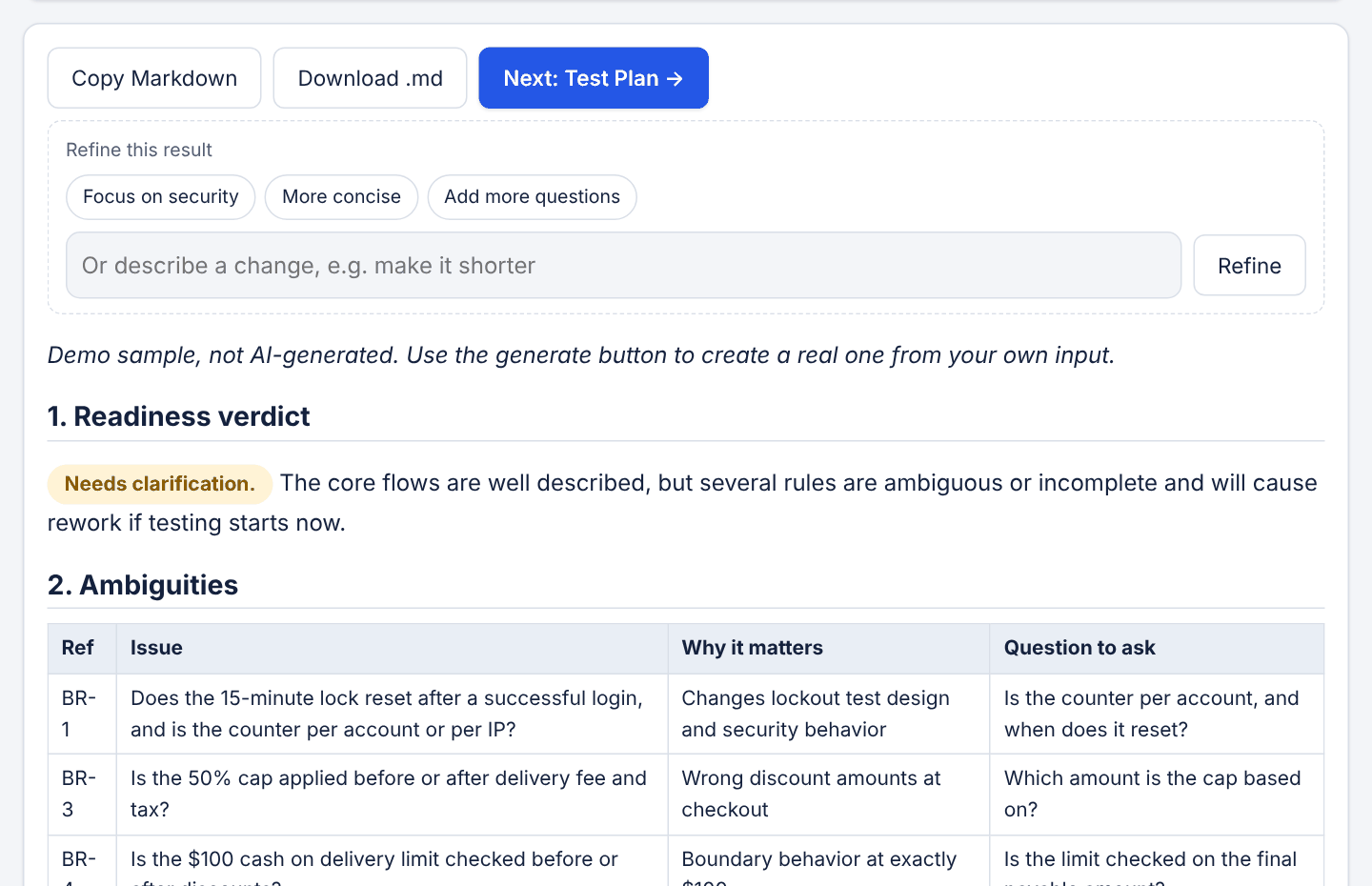
A promo discount cannot exceed 50% of the subtotal.
Is the 50% cap applied before or after the delivery fee?
Built for people who write the tests
Use it where the blank page costs you the most time.
QA engineers
Turn a new BRD into a first-draft plan and case list in one sitting, then spend your time on judgement instead of typing.
QA leads
Standardise the format. Edit the prompts once so every plan and case follows your template and naming rules.
Freelancers and consultants
Start client work faster. Nothing is stored on a server, and you control which model and key are used.
See the app at work
Screens from the built-in sample project, a food-ordering app. The content is demo data, not live AI output.
Find the gaps before you test
The review lists unclear, missing and conflicting requirements, each with a question to take back to the business.
- Severity on every finding
- Questions you can paste into a ticket
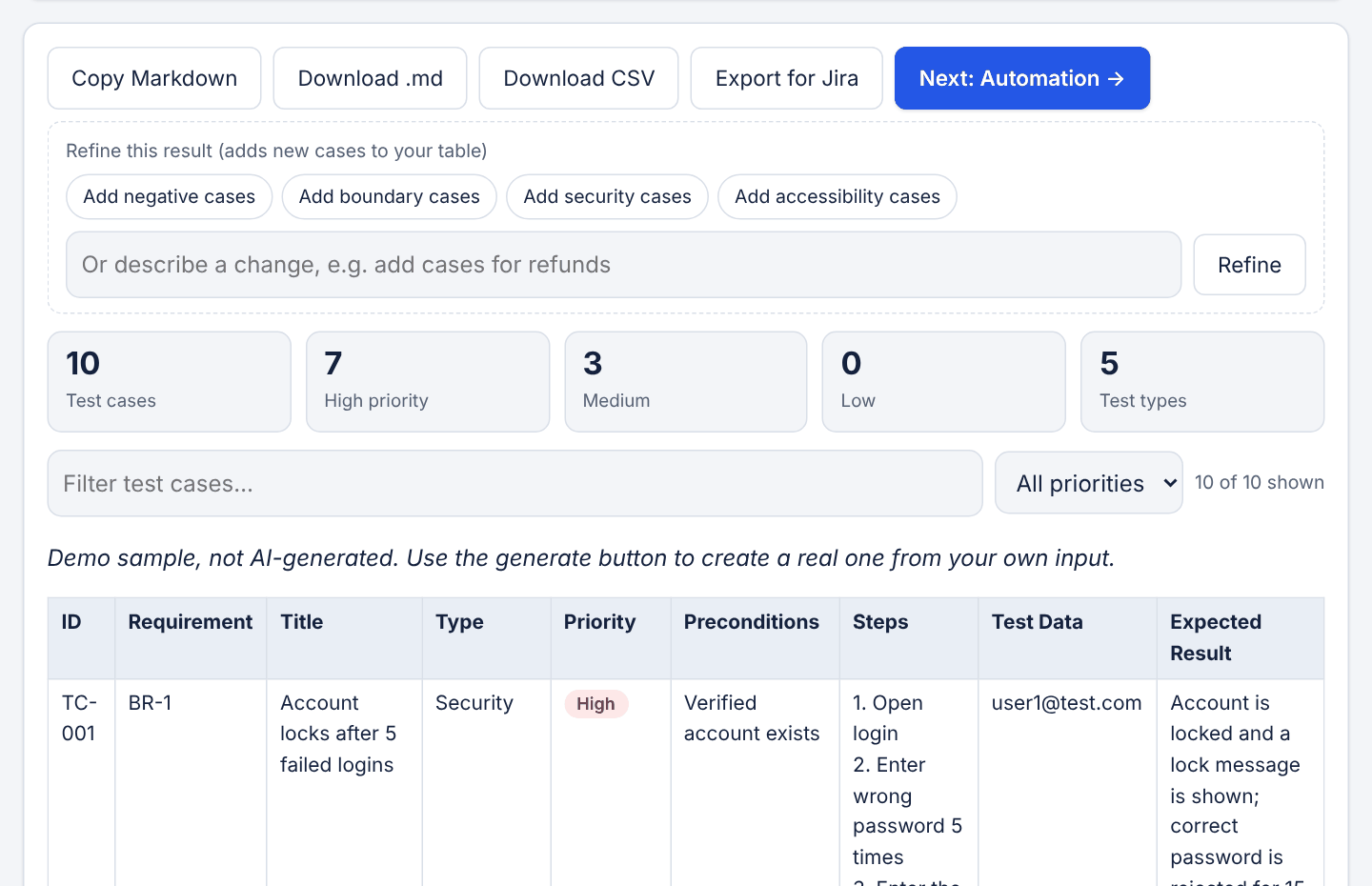
Test cases you can filter and export
Every case links to a requirement. Filter by priority, add more with one click, then export to CSV or Jira.
- Priority and type counts at a glance
- Refine adds cases, it never replaces yours
Check coverage against the BRD
See which requirements are covered, partly covered or missing, and draft cases for the gaps.
- Works on cases you wrote yourself
- One click to draft the missing ones
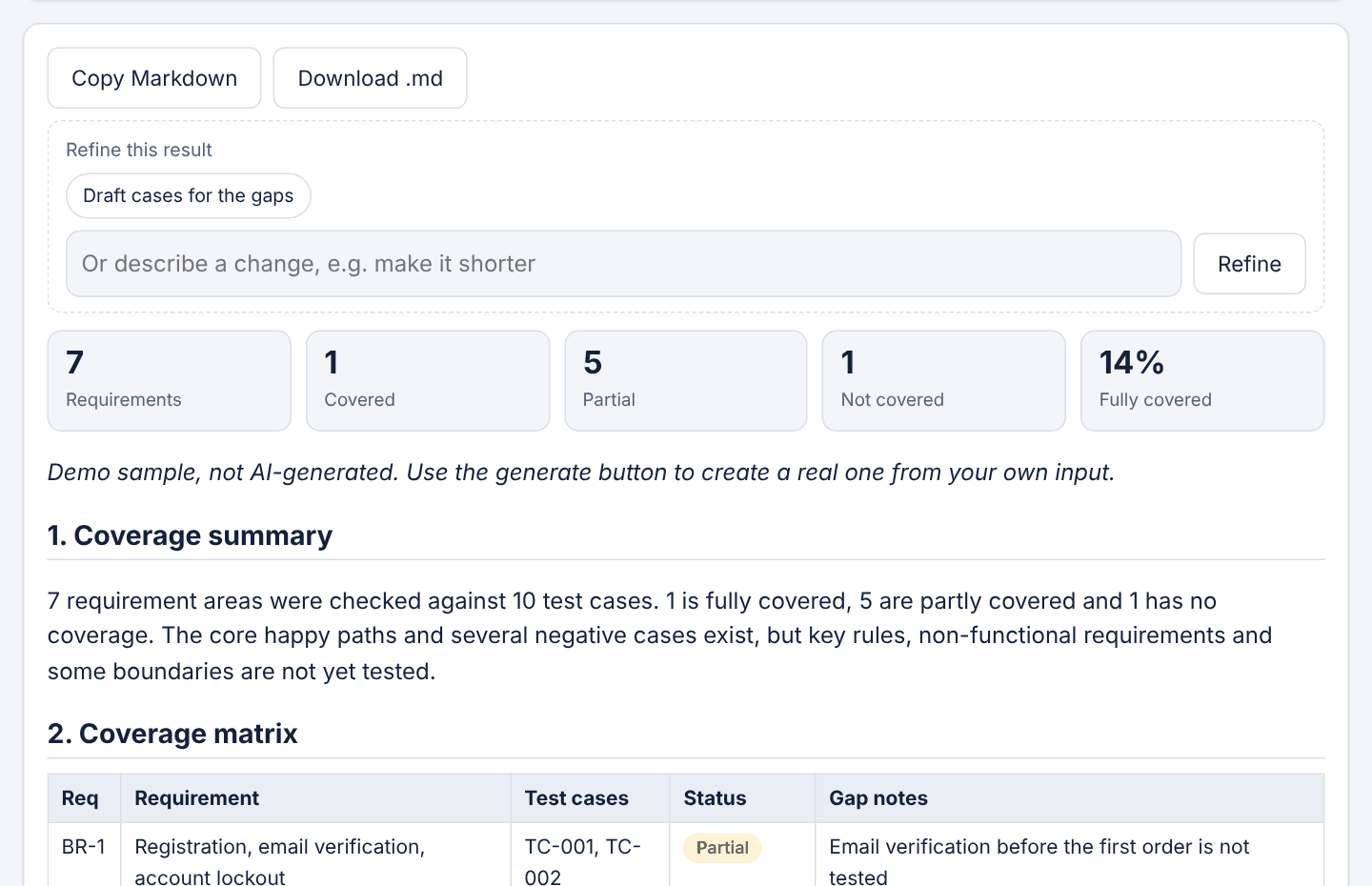
See what is not tested yet
Every test case is linked to a requirement. The coverage check shows the requirements that have no test, so gaps surface before launch instead of after.
Illustration based on the sample project.
What each step gives you
Run the whole workflow in order, or use one tool on its own.
Ambiguities, gaps and contradictions in your BRD, each with the question to ask the business.
On screen, MarkdownScope, approach, a traceability matrix, risks and exit criteria, with open questions called out.
MarkdownSteps, test data and expected results, each linked to a requirement. Filter by priority and add more with one click.
CSV, Jira import, MarkdownWhich requirements are covered, partly covered or missing, plus draft cases for the gaps.
MarkdownFolder structure, page objects and starter scripts for Playwright, Cypress, Selenium or API tests.
MarkdownRough notes turned into a complete report with steps, severity and what is still missing.
MarkdownThe same work, less typing
What changes when the first draft is generated and you do the reviewing.
Every output is a draft. You still review, correct and own the result.
How it works
Each step feeds the next. Stop, edit or skip ahead whenever you like.
- +Your BRDPaste requirements or user stories
- 1ReviewSpot gaps and questions before anyone writes a test
- 2Test planScope, risks and a traceability matrix
- 3Test casesSteps, data and expected results per requirement
- 4AutomationFramework structure and first scripts
You review and edit at every step before the next one starts.
You stay in control of the output
The AI writes the first draft. Your team decides what ships.
Your key, your documents, no middleman
QA GoGo has no server. Everything runs in your browser.
Questions
Do I need an account?
No. Open the app, add your Claude API key in Settings, and start. There is nothing to sign up for.
What does it cost?
The site is free. Each result is generated by Claude through your API key, and Anthropic charges that key for the usage. A full run writes several long documents, so cost depends on the size of your BRD and the model you choose.
Where does my BRD go?
From your browser straight to the Claude API. QA GoGo never receives your documents or your key. Your prompt edits, and your key if you choose to remember it, are saved in this browser only.
How accurate is the output?
Treat it as a strong first draft. The prompts tell the model to stay within your BRD and to flag gaps, but it can still be wrong or miss a rule. Review each step before you rely on it.
Which models can I use?
Claude Sonnet 5.5 is the default. In Settings you can switch to Haiku 5.5 for lower cost or Opus 5.5 for the highest quality.
What can I export?
Markdown for every step, a CSV of test cases, and a CSV in the layout Jira's CSV import expects. You can also copy any result.
See it on a sample project
The sample loads a food-ordering BRD with a finished review, plan, test cases and coverage check. No key needed to look around.
A version for writing and sharpening requirements is planned. Tell us if you want it.
Notify me